

Shape of Dreams Essence List: How Memories Work
Memory versus Essence in Shape of Dreams: Memories are the abilities you equip, Essences slot in and rewrite them, plus the two special slots explained.

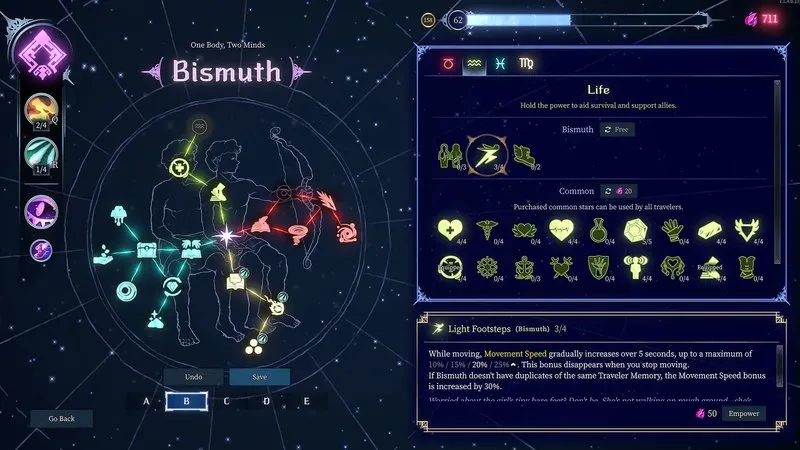
A Memory is a skill you equip. An Essence is a gem you slot into that Memory to rewrite how it works. That one sentence fixes most of the confusion in build guides, because players use the two words interchangeably. There are more than 200 of them in total, and the game is balanced around the combinations rather than the individual parts.
The official example, and why it matters
The developer’s own illustration is the clearest explanation available. Take a Memory that hits one target. Attach an Essence that chains the ability to nearby enemies, or one that cuts its cooldown every time you land a hit, and it stops being a single-target attack. It becomes a room-clearing tool.
Notice what did not change: nothing gained a flat damage bonus. The Essence changed when the ability triggers and what it does on hit, which is why the same Memory can serve completely different builds.
The four slots you will see
| Slot | What it is | When you choose it |
|---|---|---|
| Memory | An active ability you equip and cast | Constantly, throughout the run |
| Essence | A modifier socketed into a Memory | When you find one that fits your core |
| Traveler Memory | The signature active skill of your Traveler | Before the run starts, choosing between two options |
| Identity Memory | The passive at the centre of your Traveler’s kit | Before the run starts, also a choice between two |
The Starless Path update added six shared Common Identity Memories, which means the Identity slot is no longer limited to your Traveler’s own passive. That opens progression paths that did not exist before 17 September 2026.
How to decide which Essence goes where
Ask what the Essence changes, then find the skill that triggers it most often:
- Chains or spreads to nearby enemies → put it on a skill that fires often, so the chain happens more.
- Reduces cooldown on hit → put it on your shortest cooldown, because the refund is per hit.
- Heals on cast → put it on the skill you cast most, since each cast is a heal.
- Converts the damage type → put it on your main damage skill so the rest of your build matches.
If two Essences want the same slot, keep the one that changes behaviour rather than the one that adds a number. Behaviour compounds with usage; a flat bonus does not.
How to test a combination in one run
You do not need a guide for this. Do the following inside a single run:
- Note your damage against a normal enemy with the Essence removed.
- Attach the Essence to your core Memory and hit the same enemy type.
- Watch the cooldown bar, not just the number. Cooldown refunds are the difference between a good build and a broken one.
Because Essences are sold by the in-run merchant and can be swapped, this test costs nothing but time.
Read next: the four-step build method and the first-session plan.
Sources: PlayStation Blog launch post, Xbox Wire developer post, v1.4 update notes, Bismuth essences guide video.